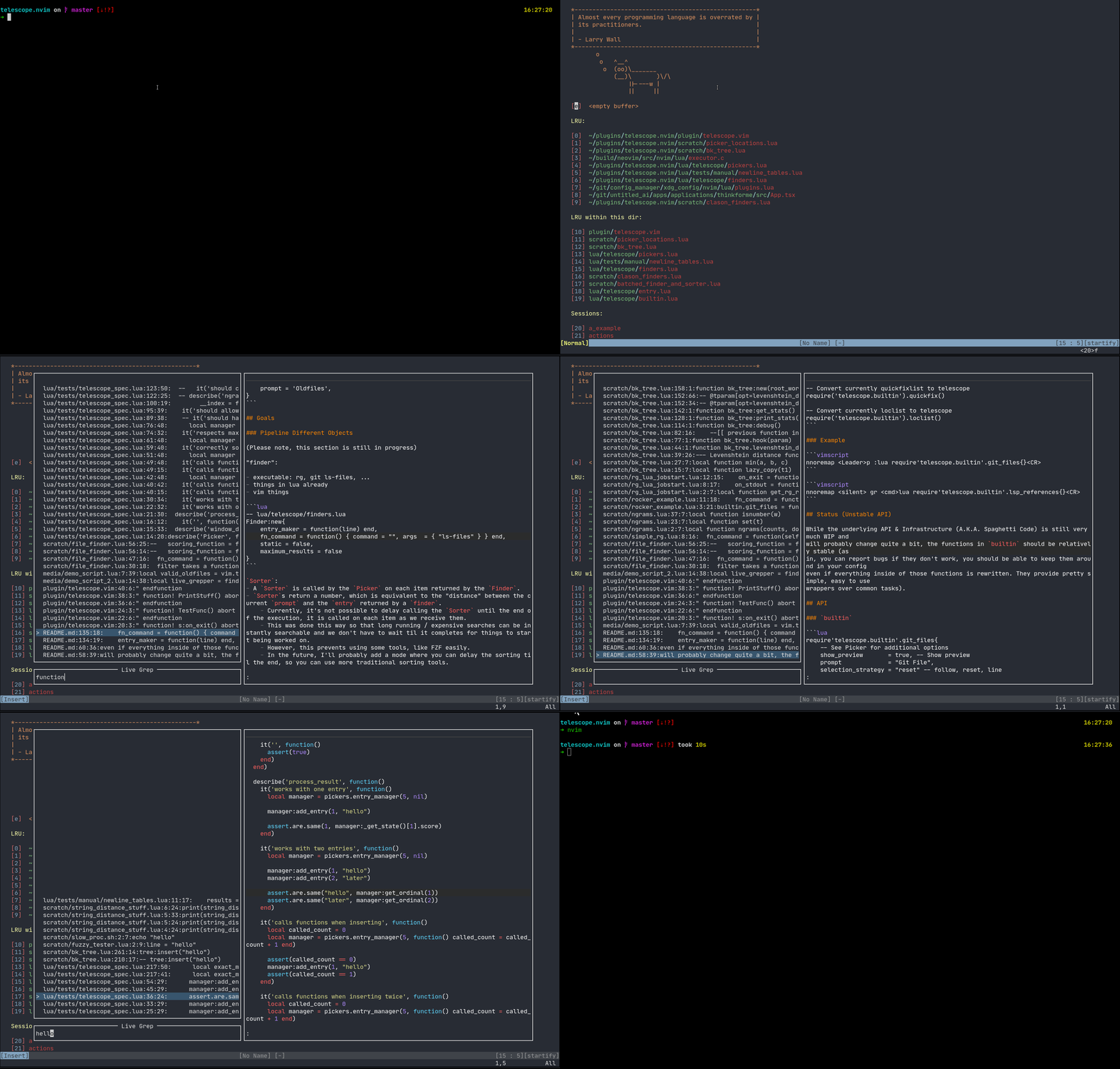
telescope.nvim
Gaze deeply into unknown regions using the power of the moon.
What is Telescope?
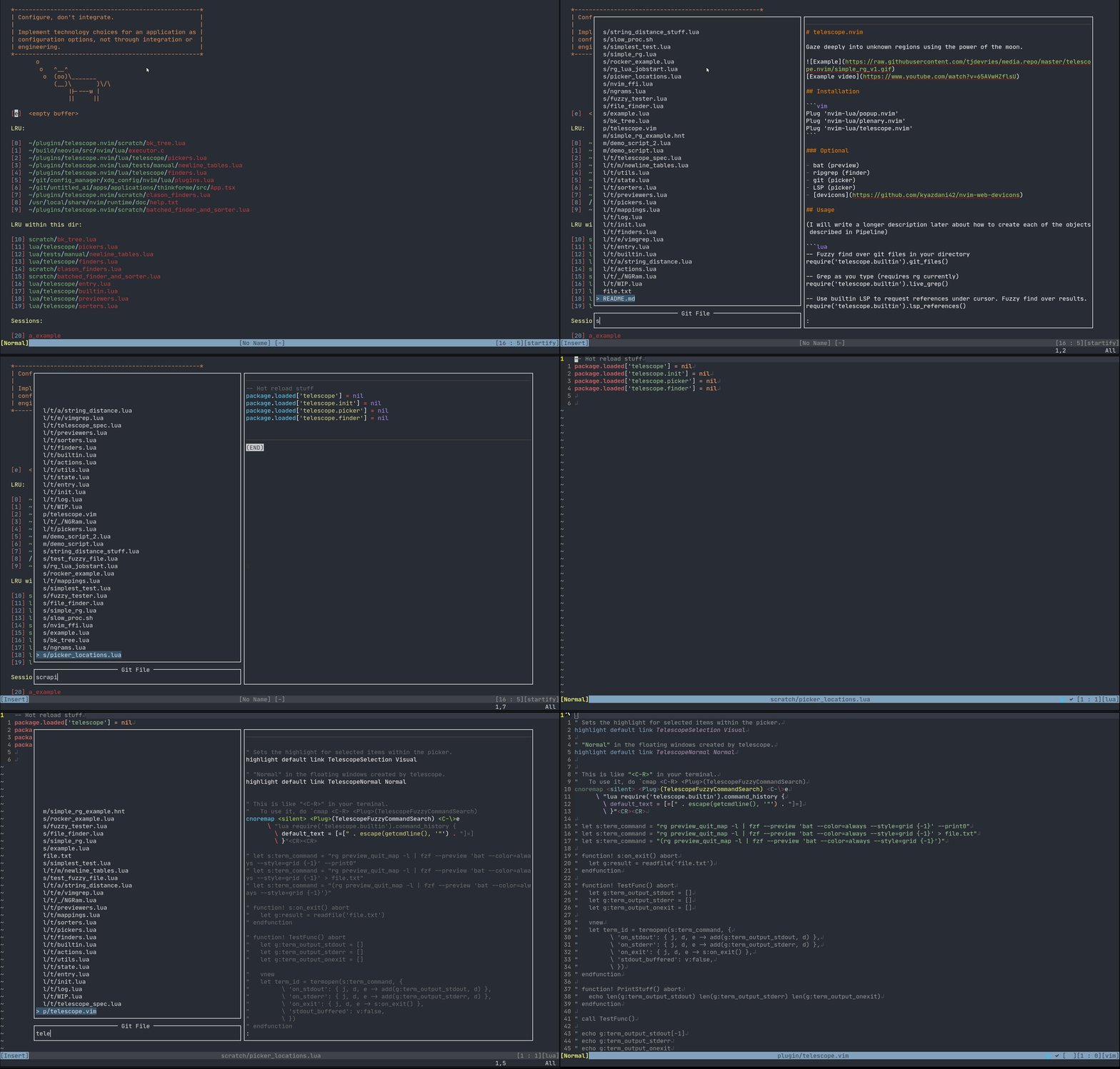
Telescope is a highly extendable fuzzy finder over lists. Items are shown in a popup with a prompt to search over.
Support for:
- LSP (references, document symbols, workspace symbols)
- Treesitter
- Grep
- Files (git, fd)
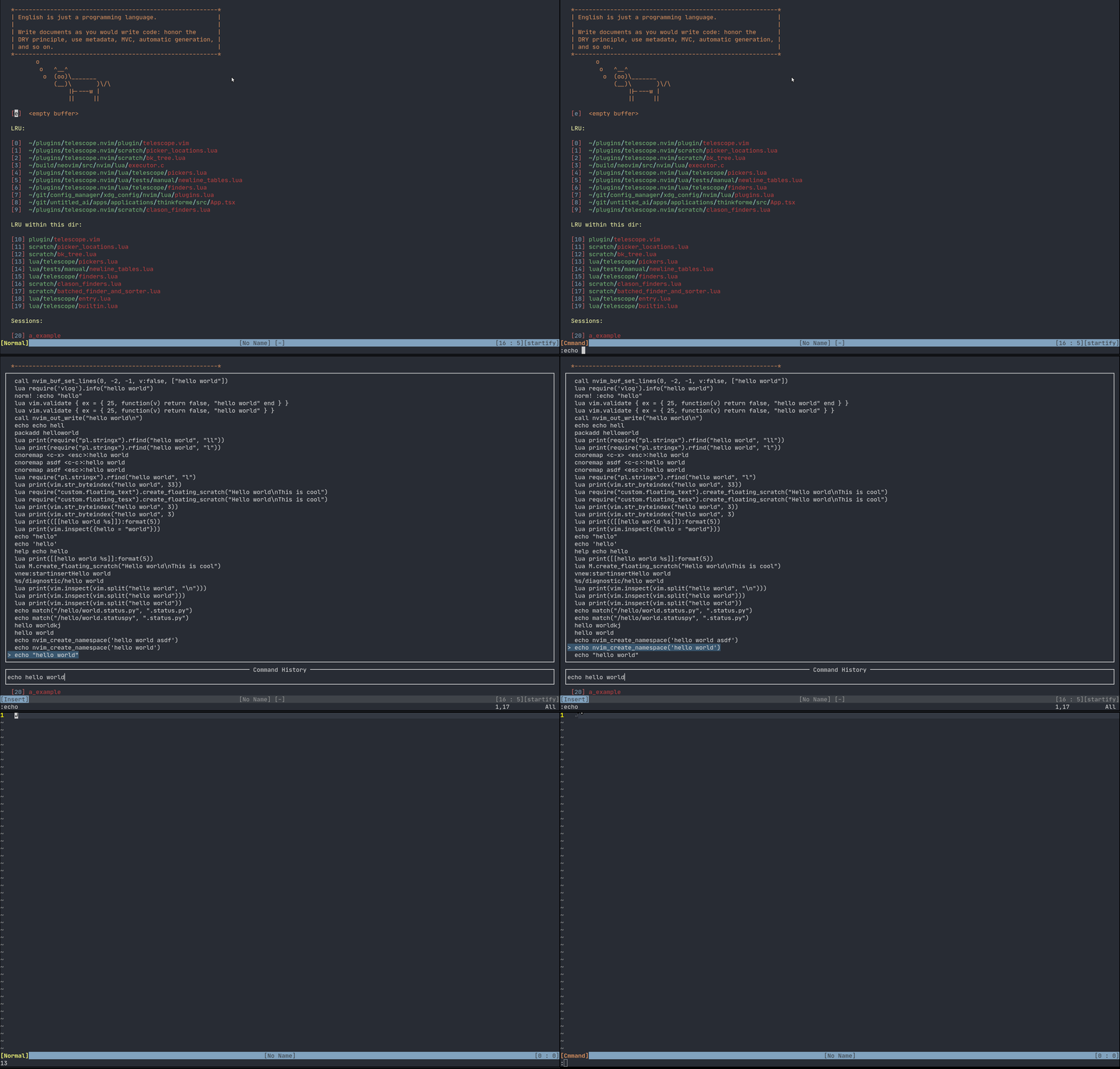
- Vim (command history, quickfix, loclist)
Requirements
Neovim Nightly (0.5)
Best experience on Neovim Nightly with LSP configured.
Installation
Plug 'nvim-lua/popup.nvim'
Plug 'nvim-lua/plenary.nvim'
Plug 'nvim-lua/telescope.nvim'
Optional
- bat (preview)
- ripgrep (finder)
- Treesitter (nvim-treesitter) (finder/preview)
- fd (sharkdp/fd) (finder)
- git (picker)
- neovim LSP (picker)
- devicons
Usage
Most actions are activated via keybinds. Attach these functions as described more in the Examples
-- Fuzzy find over git files in your directory
require('telescope.builtin').git_files()

-- Grep as you type (requires rg currently)
require('telescope.builtin').live_grep()

-- Use builtin LSP to request references under cursor. Fuzzy find over results.
require('telescope.builtin').lsp_references()

-- Convert currently quickfixlist to telescope
require('telescope.builtin').quickfix()

-- Convert currently loclist to telescope
require('telescope.builtin').loclist()
Options can be passed directly to the above functions, or set as defaults.
-- Optional way to setup default values
require('telescope').setup{
  default = {
    -- Example:
    shorten_path = true -- currently the default value is true
  }
}
Examples
nnoremap <Leader>p :lua require'telescope.builtin'.git_files{}<CR>
Searches over files in a git folder. Note: This does not work outside a git repo folder.
nnoremap <Leader>p :lua require'telescope.builtin'.find_files{}<CR>
Search over files in your cwd current working directory.
nnoremap <silent> gr <cmd>lua require'telescope.builtin'.lsp_references{}<CR>
Full Example
lua <<EOF
-- totally optional to use setup
require('telescope').setup{
  default = {
    shorten_path = false -- currently the default value is true
  }
}
EOF

nnoremap <c-p> :lua require'telescope.builtin'.find_files{}<CR>
nnoremap <silent> gr <cmd>lua require'telescope.builtin'.lsp_references{ shorten_path = true }<CR>
- Make the paths full size
- Bind
<ctrl-p>for a common mapping to find files. Usingtelescope.builtin.git_filesis better in git directories, a toggle can be programmed in to detect if it's a git directory. - Bind
grto find references in LSP.telescope.builtin.lsp_workspace_symbolsandtelescope.builtin.lsp_document_symbolsare also good to bind for LSP.
Mappings
Mappings are fully customizable. Many familiar mapping patterns are setup as defaults.
<C-n>  <C-p> next | previous
<Down> <Up>  next | previous
<CR>         go to file selection

<C-x>        go to file selection as a split
<C-v>        go to file selection as a vertical split
<C-t>        go to a file in a new tab

j      k     next/previous (in normal mode)
Attaching your own mappings is possible and additional information will come soon.
Additionally, the prompt's filetype will be TelescopePrompt. You can customize the filetype as you would normally.
Status (Unstable API)
While the underlying API & Infrastructure (A.K.A. Spaghetti Code) is still very much WIP and
will probably change quite a bit, the functions in builtin should be relatively stable (as
in, you can report bugs if they don't work, you should be able to keep them around in your config
even if everything inside of those functions is rewritten. They provide pretty simple, easy to use
wrappers over common tasks).
API
builtin
require'telescope.builtin'.builtin{
  -- Optional
  -- hide_filename = true
  -- ignore_filename = true
}
Handy documentation, showcase of all tools available in Telescope.
Files
require'telescope.builtin'.git_files{}
Search your files in a git repo. Ignores files in your .gitignore.
require'telescope.builtin'.fd{
  -- Optional
  -- cwd = "/home/tj/"
}
Searches files in your working directory.
require'telescope.builtin'.grep_string{
  -- Optional
  -- search = false -- Search term or <cword>
}
require'telescope.builtin'.live_grep{}
Vim
require'telescope.builtin'.oldfiles{}
Searches the vim oldfiles. See :help v:oldfiles
require'telescope.builtin'.quickfix{}
Search on the quickfix. See :help quickfix
require'telescope.builtin'.loclist{}
Search on the current window's location list.
require'telescope.builtin'.command_history{}
Search the vim command history.
LSP
require'telescope.builtin'.lsp_references{}
Search on LSP references.
require'telescope.builtin'.lsp_document_symbols{}
Search on LSP Document Symbols in the current document.
require'telescope.builtin'.lsp_workspace_symbols{}
Search on all workspace symbols.
require'telescope.builtin'.treesitter{
  -- Optional
  -- bufnr = Buffer number
}
Treesitter
Search on function names, variables, from Treesitter!
Telescope
require'telescope.builtin'.planets{}
Use the telescope.
Goals
Pipeline Different Objects
(Please note, this section is still in progress)
"finder":
- executable: rg, git ls-files, ...
- things in lua already
- vim things
-- lua/telescope/finders.lua
Finder:new{
  entry_maker     = function(line) end,
  fn_command      = function() { command = "", args  = { "ls-files" } } end,
  static          = false,
  maximum_results = false
}
Sorter:
- A
Sorteris called by thePickeron each item returned by theFinder. Sorters return a number, which is equivalent to the "distance" between the currentpromptand theentryreturned by afinder.- Currently, it's not possible to delay calling the
Sorteruntil the end of the execution, it is called on each item as we receive them. - This was done this way so that long running / expensive searches can be instantly searchable and we don't have to wait til it completes for things to start being worked on.
- However, this prevents using some tools, like FZF easily.
- In the future, I'll probably add a mode where you can delay the sorting til the end, so you can use more traditional sorting tools.
- Currently, it's not possible to delay calling the
"picker":
- fzf
- sk
- does this always need to be fuzzy?
- you'll map what you want to do with vimscript / lua mappings
Defaults:
Picker
-- lua/telescope/pickers.lua
Picker:new{
  prompt             = "", -- REQUIRED
  finder             = FUNCTION, -- see lua/telescope/finder.lua
  sorter             = FUNCTION, -- see lua/telescope/sorter.lua
  previewer          = FUNCTION, -- see lua/telescope/previewer.lua
  selection_strategy = "reset", -- follow, reset, line
  border             = {},
  borderchars        = {"─", "│", "─", "│", "┌", "┐", "┘", "└"},
  preview_cutoff     = 120,
}
"previewer":
- sometimes built-in
- sometimes a lua callback
As an example, you could pipe your inputs into fzf, and then it can sort them for you.
Other Examples