
3.9 KiB
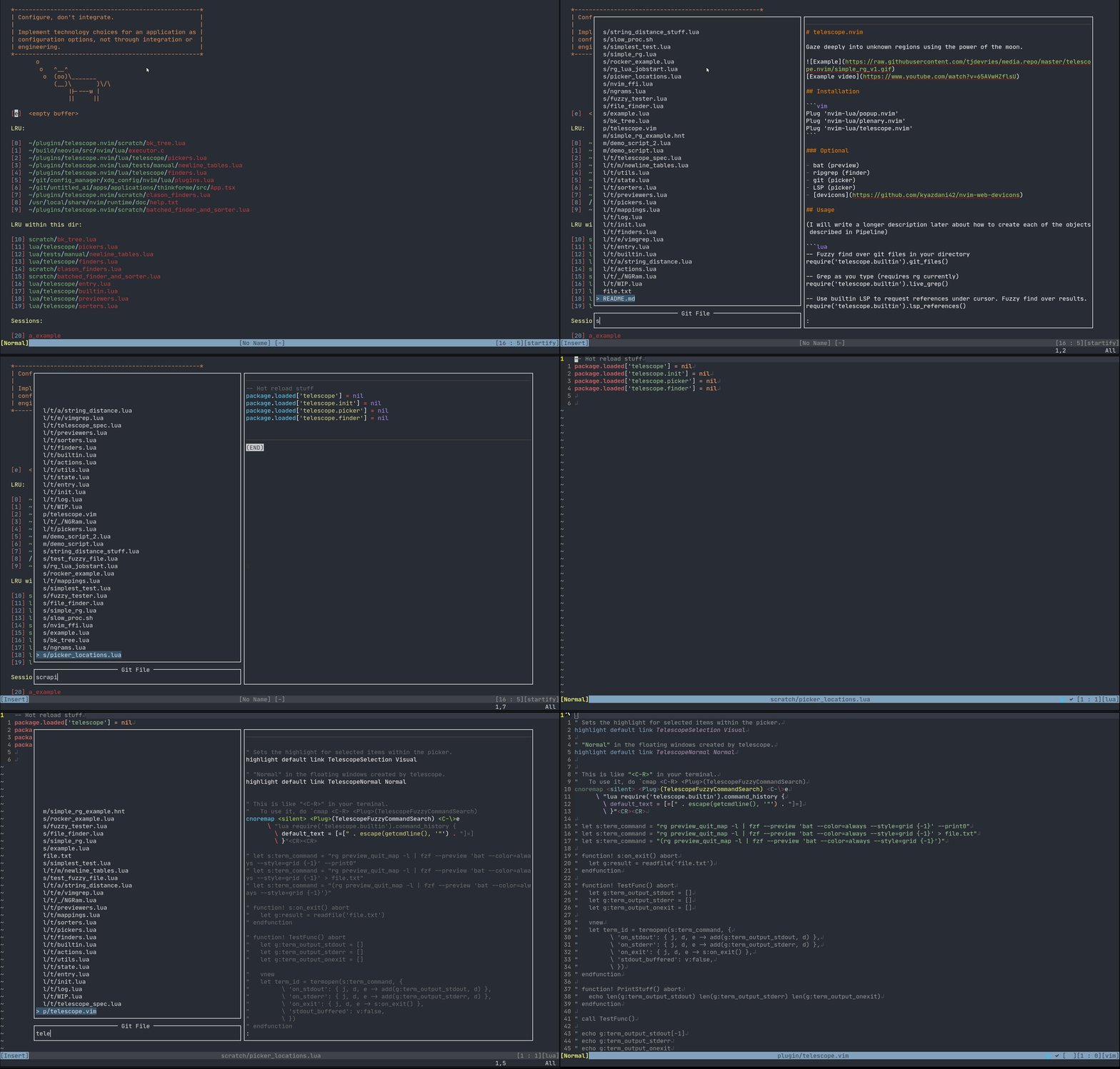
telescope.nvim
Gaze deeply into unknown regions using the power of the moon.
Installation
Plug 'nvim-lua/popup.nvim'
Plug 'nvim-lua/plenary.nvim'
Plug 'nvim-lua/telescope.nvim'
Optional
- bat (preview)
- ripgrep (finder)
- git (picker)
- LSP (picker)
- devicons
Usage
(I will write a longer description later about how to create each of the objects described in Pipeline)
-- Fuzzy find over git files in your directory
require('telescope.builtin').git_files()

-- Grep as you type (requires rg currently)
require('telescope.builtin').live_grep()

-- Use builtin LSP to request references under cursor. Fuzzy find over results.
require('telescope.builtin').lsp_references()

-- Convert currently quickfixlist to telescope
require('telescope.builtin').quickfix()
Example
nnoremap <Leader>p :lua require'telescope.builtin'.git_files{}<CR>
nnoremap <silent> gr <cmd>lua require'telescope.builtin'.lsp_references{}<CR>
Status (Unstable API)
While the underlying API & Infrastructure (A.K.A. Spaghetti Code) is still very much WIP and
will probably change quite a bit, the functions in builtin should be relatively stable (as
in, you can report bugs if they don't work, you should be able to keep them around in your config
even if everything inside of those functions is rewritten. They provide pretty simple, easy to use
wrappers over common tasks).
API
builtin
require'telescope.builtin'.git_files{
	-- See Picker for additional options
	show_preview       = true, -- Show preview
	prompt             = "Git File",
	selection_strategy = "reset" -- follow, reset, line
}
require'telescope.builtin'.live_grep{
	-- See Picker for additional options
	prompt = "Live Grep",
}
require'telescope.builtin'.lsp_references{
	-- See Picker for additional options
	prompt = 'LSP References'
}
require'telescope.builtin'.quickfix{
	-- See Picker for additional options
	prompt = 'Quickfix'
}
require'telescope.builtin'.grep_string{
	-- See Picker for additional options
	prompt = 'Find Word',
	search = false -- Search term or <cword>
}
require'telescope.builtin'.oldfiles{
	-- See Picker for additional options
	prompt = 'Oldfiles',
}
Goals
Pipeline Different Objects
(Please note, this section is still in progress)
"finder":
- executable: rg, git ls-files, ...
- things in lua already
- vim things
-- lua/telescope/finders.lua
Finder:new{
	entry_maker = function(line) end,
	fn_command = function() { command = "", args  = { "ls-files" } } end,
	static = false,
	maximum_results = false
}
Sorter:
- A
Sorteris called by thePickeron each item returned by theFinder. Sorters return a number, which is equivalent to the "distance" between two
"picker":
- fzf
- sk
- does this always need to be fuzzy?
- you'll map what you want to do with vimscript / lua mappings
Defaults:
Picker
-- lua/telescope/pickers.lua
Picker:new{
	prompt = "Git Files", -- REQUIRED
	finder = FUNCTION, -- REQUIRED
	sorter = FUNCTION, -- REQUIRED
	previewer = FUNCTION, -- REQUIRED
	mappings = {
		i = {
			["<C-n>"] = require'telescope.actions'.move_selection_next,
			["<C-p>"] = require'telescope.actions'.move_selection_previous,
			["<CR>"] = require'telescope.actions'.goto_file_selection,
		},

		n = {
			["<esc>"] = require'telescope.actions'.close,
		}
	},
	selection_strategy = "reset", -- follow, reset, line
	border = {},
	borderchars = { '─', '│', '─', '│', '┌', '┐', '┘', '└'},
	preview_cutoff = 120
}
"previewer":
- sometimes built-in
- sometimes a lua callback
As an example, you could pipe your inputs into fzf, and then it can sort them for you.